
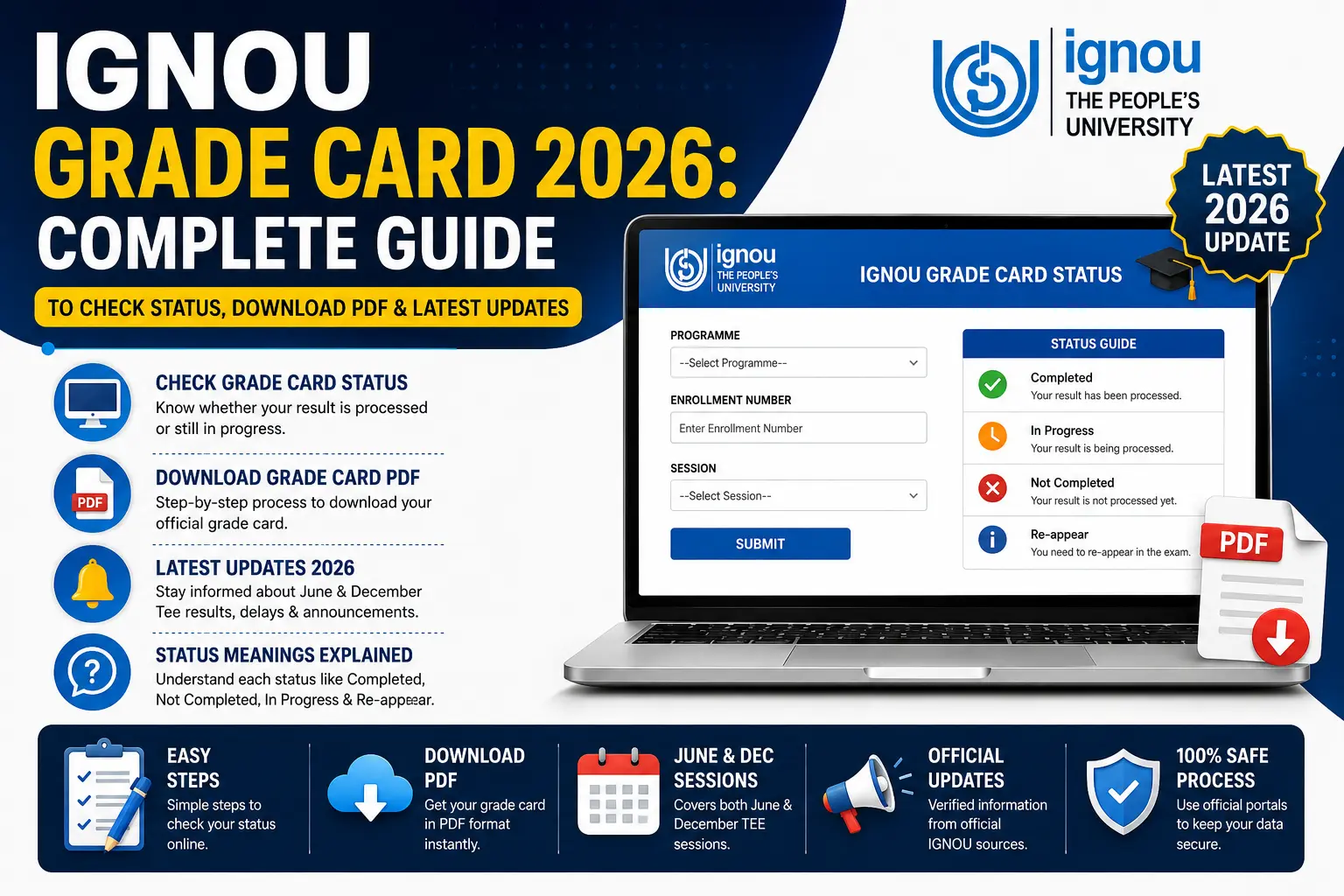
The IGNOU Grade Card 2026 is one of the most important academic documents for students enrolled in Indira Gandhi National Open University (IGNOU).
It provides a detailed overview of your academic performance, including assignment marks, term-end examination (TEE) scores, practical/project marks, and the final course completion status.
Every year, lakhs of IGNOU students check their grade cards to monitor their progress and verify whether they have completed their courses.
Unlike the Term-End Examination result, which only displays examination scores, the grade card reflects the complete academic status of a student, combining all evaluation components.
Why is the IGNOU Grade Card Important?
IGNOU Grade Card 2026: Key Highlights
Important Dates for 2026
📌 Note: The IGNOU grade card is generally updated 45 to 60 days after the completion of your exam, depending on how long it takes to finish the evaluation and administration processes.
How to Check IGNOU Grade Card 2026
Students can check their IGNOU Grade Card online using the official portal. Follow these simple steps:
Step-by-Step Process:
| Step | Action |
|---|---|
| Step 1 | Visit the official IGNOU website: ignou.ac.in |
| Step 2 | Click on the “Student Services” section |
| Step 3 | Select “Results” from the dropdown menu |
| Step 4 | Open the “Grade Card” link |
| Step 5 | Select your Program Type (UG / PG / Diploma / Certificate Courses) |
| Step 6 | Enter your Enrollment Number and Program Code |
| Step 7 | Click on the “Submit” or “Search” button |
| Step 8 | Your Grade Card will appear on the screen |
Alternative Method:
You can also directly visit the dedicated grade card portal: gradecard.ignou.ac.in
How to Download IGNOU Grade Card PDF
Once your grade card is displayed on the screen, you can easily save it as a PDF for future reference.
Steps to Download:
| Step | Action |
|---|---|
| Step 1 | After your grade card appears on the screen, locate the print/download option in your browser |
| Step 2 | Use Ctrl+P (Windows) or Cmd+P (Mac) to open the print dialog |
| Step 3 | Select “Save as PDF” as the destination |
| Step 4 | Click “Save” and choose a location on your device |
💡 Pro Tip: Always save a copy of your IGNOU Grade Card for future reference. It may be required for job applications, higher education admissions, or degree verification.
Components of IGNOU Grade Card
Your IGNOU Grade Card contains several important sections. Here is what each component means:
Understanding Grade Card Status
One of the most common questions students ask is about the status displayed on their grade card. Here is what each status means:
Why Does My Grade Card Show “Not Completed”?
- You didn’t achieve the minimum marks in any of the components (Assignment or TEE).
- Assignment marks haven’t been updated due to delays in evaluation.
- You didn’t submit assignments for that subject.
- Practical/Project marks are still pending.
How to Calculate Percentage from IGNOU Grade Card
IGNOU uses a specific formula to calculate your final subject score:
The Formula:
Final Subject Score = (Assignment Marks × 30%) + (TEE Marks × 70%)
Example Calculation:
| Component | Marks Obtained | Weightage | Weighted Score |
|---|---|---|---|
| Assignment | 85 | 30% | 85 × 0.3 = 25.5 |
| TEE | 70 | 70% | 70 × 0.7 = 49.0 |
| Final Score | 74.5% |
IGNOU Grading System:
| Percentage Range | Grade | Performance |
|---|---|---|
| 80% and Above | A | Excellent |
| 60% – 79% | B | Very Good |
| 50% – 59% | C | Good |
| 40% – 49% | D | Pass |
| Below 40% | E | Fail |
⚠️ Important: You need a minimum of 40% in both Assignments and TEE separately, and an overall aggregate of 40% to pass the subject.
Common Issues & Solutions
1. Assignment Marks Not Showing in Grade Card
Why: Your assignments might not have been evaluated or uploaded by the study center yet.
Solution: Wait for 15-20 days after the assignment submission deadline. If it persists, contact your regional center with your assignment receipt.
2. Grade Card Shows “Not Completed” Even Though You Passed
Why: Often due to missing practical/project marks or a backlog in a previous year.
Solution: Check the specific subject details. If the TEE shows pass marks but the assignment column is empty, your assignment marks are missing.
3. IGNOU Grade Card Not Updated
Why: The server updates in cycles. Sometimes the TEE results are released, but the grade card takes another 2-3 weeks to reflect the combined score.
Solution: Check the official IGNOU result portal for raw TEE scores, then cross-check with your grade card after 10 days.
4. Enrollment Number Not Found / Portal Not Opening
Why: High traffic during result declaration hours.
Solution: Try accessing the official portal during off-peak hours (late night or early morning) and ensure your enrollment number is correct.
5. Percentage Calculation Mismatch
Why: Students often add raw marks instead of using the weighted 30-70 formula.
Solution: Always use the weighted formula: (Assignment × 30%) + (TEE × 70%).
Program-Wise Grade Card Guides
Your grade card access and subject codes vary depending on your program. Here are dedicated guides for the most popular IGNOU programs:
- [BCA Grade Card] – Bachelor of Computer Applications (BCA) grade card specifics.
- [MCA Grade Card] – Master of Computer Applications (MCA) grade card details.
- [MBA Grade Card] – MBA grade card structure and passing criteria.
- [BA Grade Card] – Bachelor of Arts (BA) grade card breakdown.
- [MA Grade Card] – Master of Arts (MA) grade card details.
Re-evaluation Process
If you are not satisfied with your marks, you can apply for re-evaluation.
Important Points:
Frequently Asked Questions
1. When will the IGNOU Grade Card 2026 be released?
The IGNOU Grade Card 2026 (June session) is expected to be released in August-September 2026, approximately 30-45 days after the TEE results.
2. How can I check my IGNOU Grade Card 2026?
Visit the official IGNOU website (ignou.ac.in), go to Student Services → Results → Grade Card, enter your Enrollment Number and Program Code, and click Submit.
3. What are the passing marks in IGNOU?
You need a minimum of 40% in both Assignments and TEE separately, and an overall aggregate of 40% to pass the subject.
4. What is the weightage of assignments in IGNOU?
Assignments carry 30% weightage, while Term-End Examinations carry 70% weightage in the final score.
5. Why is my IGNOU Grade Card showing “Not Completed”?
This usually means you have either failed in TEE, failed in Assignment, or did not submit the assignment for that subject.
6. Can I download my IGNOU Grade Card as a PDF?
Yes. Once your grade card appears on the screen, use the browser’s print option (Ctrl+P) and select “Save as PDF”.
7. What is the re-evaluation fee for IGNOU?
The re-evaluation fee is ₹750 per subject
8. Is the IGNOU Grade Card the same as the final marksheet?
No. The grade card is a dynamic, ongoing document updated semester-by-semester. The final marksheet/provisional certificate is issued only after you have successfully cleared all subjects in your program.
Need to Check Your Official Status?
If you want to check your actual live grade card status on the official IGNOU server, visit the official student portal.
👉 [Check Your IGNOU Grade Card Status Now →]