
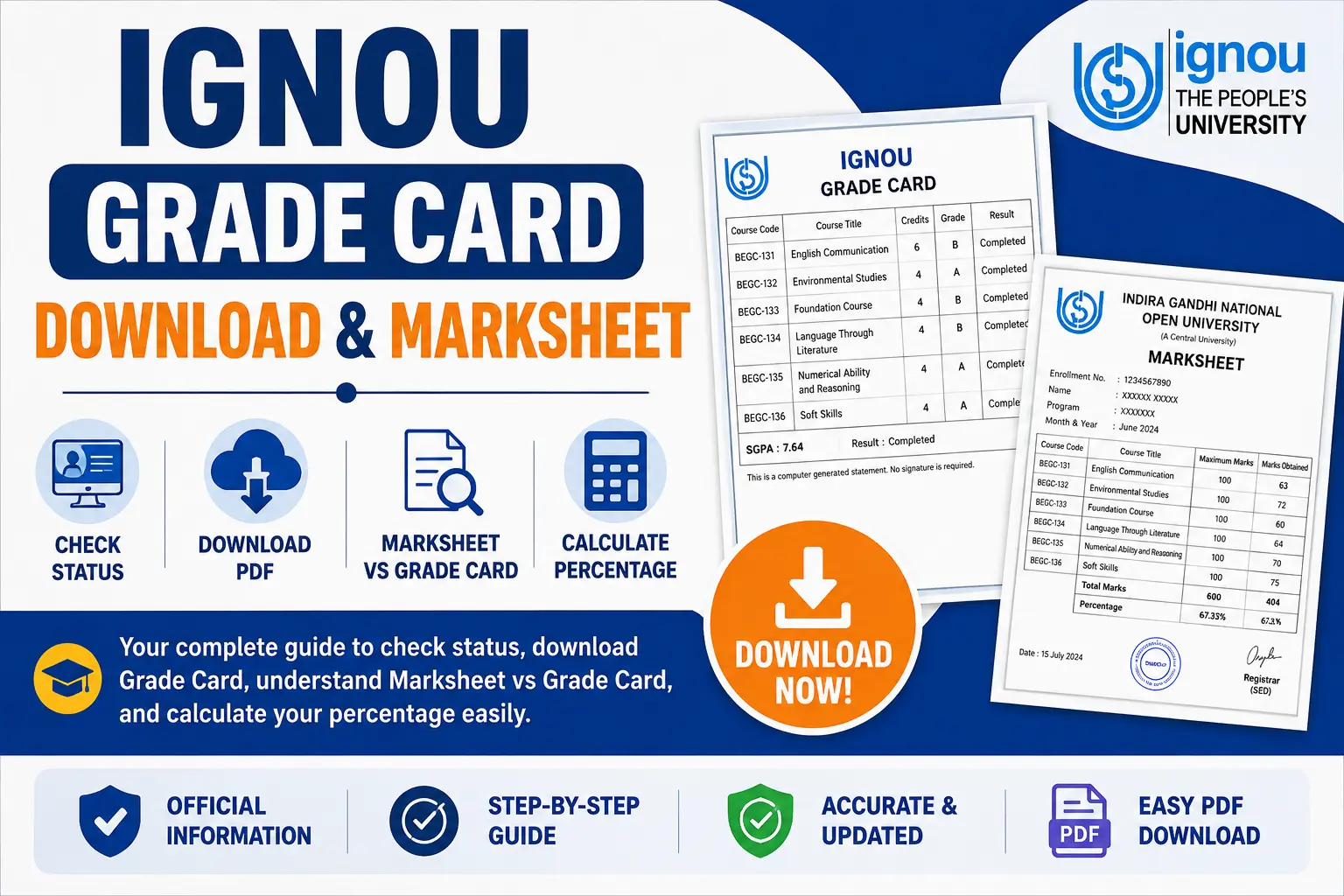
The IGNOU Grade Card Download & Marksheet process is one of the most frequently searched topics by IGNOU students. Whether you are a first-year student or about to graduate, understanding how to access, download, and interpret your grade card and final marksheet is essential for academic and professional purposes.
Many students confuse the Grade Card with the Final Marksheet. While both display your academic performance, they serve different purposes and are issued at different stages of your academic journey.
This complete guide will walk you through everything you need to know about the IGNOU Grade Card Download & Marksheet process, including step-by-step instructions, common issues, and solutions.
What is IGNOU Grade Card?
An IGNOU Grade Card is a dynamic, ongoing academic document that is updated semester-by-semester. It displays a student’s performance across all evaluation components, including:
- Assignment Marks (30% weightage)
- Term-End Examination (TEE) Marks (70% weightage)
- Practical/Project Marks
- Final Status (Completed / Not Completed / Incomplete)
Unlike the Term-End Examination result, which only displays raw exam scores, the grade card provides a comprehensive academic record that combines all evaluation components. It is the primary document students use to track their academic progress throughout their program.
The IGNOU Grade Card Download & Marksheet is essential for students who need to verify their academic standing, apply for re-evaluation, or proceed with degree completion formalities.
Difference Between Grade Card and Marksheet
One of the most common questions students ask is: “What is the difference between the IGNOU Grade Card and the Final Marksheet?”
| Feature | Grade Card | Final Marksheet / Provisional Certificate |
|---|---|---|
| When Issued | Updated semester-by-semester after each exam cycle | Issued once after completing ALL program requirements |
| Purpose | Track ongoing academic progress | Final degree verification for employment/higher education |
| Document Status | Dynamic (changes as new results are added) | Static/ Final (does not change) |
| Contains | Marks for current subjects + pending status | Complete academic record including all subjects and grades |
| Issuing Authority | IGNOU Examination Division | IGNOU Regional Services Division |
| Required For | Monitoring progress, re-evaluation applications | Job applications, university admissions, visa processing |
📌 Key Takeaway: You will have multiple grade cards during your program, but only one final marksheet when you complete all your courses.
How to Download IGNOU Grade Card PDF
The IGNOU Grade Card Download & Marksheet process is simple and can be completed online. Follow these step-by-step instructions to download your grade card as a PDF:
Step-by-Step Process:
| Step | Action |
|---|---|
| Step 1 | Visit the official IGNOU website: ignou.ac.in |
| Step 2 | Click on the “Student Services” section in the main menu |
| Step 3 | Select “Results” from the dropdown options |
| Step 4 | Click on the “Grade Card” link |
| Step 5 | Select your Program Type (UG / PG / Diploma / Certificate) |
| Step 6 | Enter your Enrollment Number and Program Code |
| Step 7 | Click on the “Submit” or “Search” button |
| Step 8 | Your Grade Card will appear on the screen |
| Step 9 | Use Ctrl+P (Windows) or Cmd+P (Mac) to open the print dialog |
| Step 10 | Select “Save as PDF” as the destination |
| Step 11 | Click “Save” and choose a location on your device |
Alternative Method:
You can also directly visit the dedicated grade card portal: gradecard.ignou.ac.in
💡 Pro Tip: Always save a copy of your IGNOU Grade Card for future reference. You may need it for job applications, higher education admissions, or degree verification.
How to Get IGNOU Final Marksheet
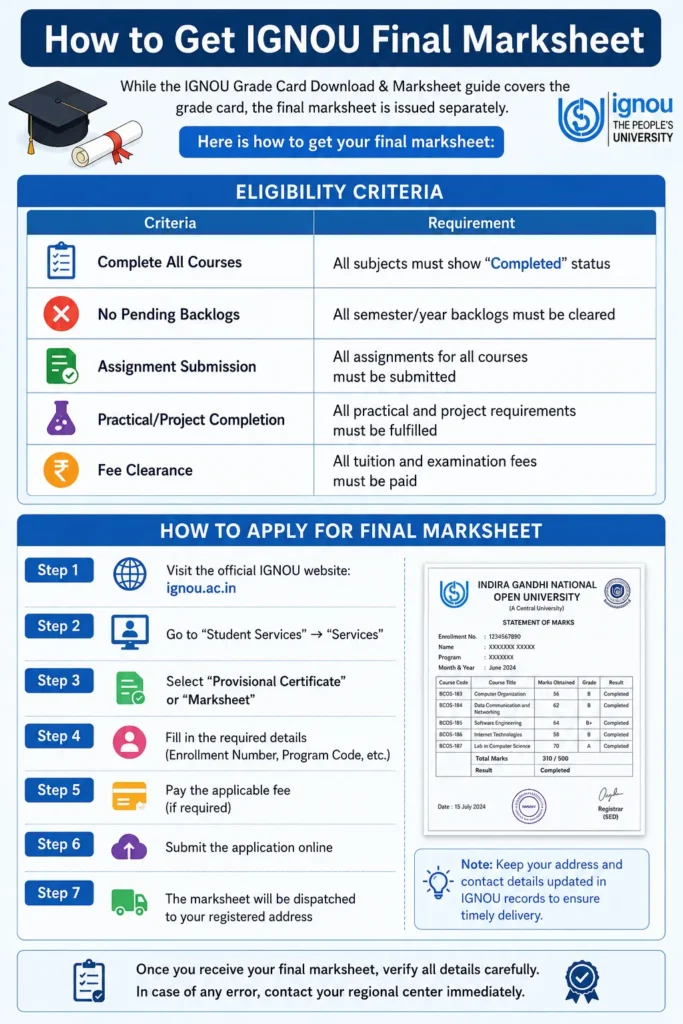
While the IGNOU Grade Card Download & Marksheet guide covers the grade card, the final marksheet is issued separately. Here is how to get your final marksheet:
Eligibility Criteria:
| Criteria | Requirement |
|---|---|
| Complete All Courses | All subjects must show “Completed” status |
| No Pending Backlogs | All semester/year backlogs must be cleared |
| Assignment Submission | All assignments for all courses must be submitted |
| Practical/Project Completion | All practical and project requirements must be fulfilled |
| Fee Clearance | All tuition and examination fees must be paid |
How to Apply for Final Marksheet:
| Step | Action |
|---|---|
| Step 1 | Visit the official IGNOU website: ignou.ac.in |
| Step 2 | Go to “Student Services” → “Services” |
| Step 3 | Select “Provisional Certificate” or “Marksheet” |
| Step 4 | Fill in the required details (Enrollment Number, Program Code, etc.) |
| Step 5 | Pay the applicable fee (if required) |
| Step 6 | Submit the application online |
| Step 7 | The marksheet will be dispatched to your registered address |
📌 Note: The final marksheet is usually dispatched to your registered address via Speed Post. It may take 2-3 months after convocation.
IGNOU Grade Card vs Marksheet: Key Differences
To help you understand the distinction better, here is a detailed comparison of the IGNOU Grade Card and the Final Marksheet:
| Aspect | Grade Card | Final Marksheet |
|---|---|---|
| Updates | Updated after every exam session | Issued once and final |
| Session Coverage | Individual semester/year | Complete program |
| Status Indicator | Shows Completed/Not Completed for current subjects | Shows Pass/Fail for entire program |
| Official Use | Internal tracking, re-evaluation | Employment, admissions, visa |
| Issuance Format | Digital (available online) | Physical document (dispatched by post) |
| Fee | Free to access online | May have a fee for physical copy |
| Convocation Requirement | Not required | Required for convocation |
Components of IGNOU Grade Card
Your IGNOU Grade Card contains several important sections. Here is what each component means:
| Component | Description |
|---|---|
| Enrollment Number | Unique student ID assigned by IGNOU |
| Program Code | Your program identifier (e.g., BA, BCA, MCA, MBA) |
| Course Code | Subject-specific codes for each course (e.g., BCS-12, BCS-11) |
| Assignment Marks | Marks obtained from submitted assignments (30% weightage) |
| Term-End Exam Marks | Written exam performance (70% weightage) |
| Practical/Project Marks | Applicable for lab/project courses |
| Final Status | Completed / Not Completed / Incomplete |
Understanding Grade Card Status
One of the most common questions students ask is about the status displayed on their grade card. Here is what each status means:
| Status | Meaning | What You Should Do |
|---|---|---|
| Completed | You have secured the minimum passing marks in both Assignment and TEE components for that subject. | ✅ Congratulations! You have cleared this subject. |
| Not Completed | You have either failed in TEE, failed in Assignment, or did not submit the assignment for that subject. | ❌ You must re-register for that subject or apply for revaluation. |
| Incomplete | Some components (like practical or project marks) are still pending. | ⏳ Wait for the next update cycle or contact your study center. |
| Result Awaited | The results for that specific component have not been uploaded yet. | ⏳ Check back after 15-30 days. |
Why Does My Grade Card Show “Not Completed”?
The most common reasons are:
- You didn’t achieve the minimum marks in any of the components (Assignment or TEE).
- Assignment marks haven’t been updated due to delays in evaluation.
- You didn’t submit assignments for that subject.
- Practical/Project marks are still pending.
How to Calculate Percentage from IGNOU Grade Card
IGNOU uses a specific formula to calculate your final subject score. Understanding this formula is crucial for the IGNOU Grade Card Download & Marksheet process.
The Formula:
Final Subject Score = (Assignment Marks × 30%) + (TEE Marks × 70%)
Example Calculation:
| Component | Marks Obtained | Weightage | Weighted Score |
|---|---|---|---|
| Assignment | 85 | 30% | 85 × 0.3 = 25.5 |
| TEE | 70 | 70% | 70 × 0.7 = 49.0 |
| Final Score | 74.5% |
IGNOU Grading System:
| Percentage Range | Grade | Performance |
|---|---|---|
| 80% and Above | A | Excellent |
| 60% – 79% | B | Very Good |
| 50% – 59% | C | Good |
| 40% – 49% | D | Pass |
| Below 40% | E | Fail |
⚠️ Important: You need a minimum of 40% in both Assignments and TEE separately, and an overall aggregate of 40% to pass the subject.
Common Issues & Solutions for IGNOU Grade Card Download & Marksheet
1. Assignment Marks Not Showing in Grade Card
Why: Your assignments might not have been evaluated or uploaded by the study center yet.
Solution: Wait for 15-20 days after the assignment submission deadline. If it persists, contact your regional center with your assignment receipt.
2. Grade Card Shows “Not Completed” Even Though You Passed
Why: Often due to missing practical/project marks or a backlog in a previous year.
Solution: Check the specific subject details. If the TEE shows pass marks but the assignment column is empty, your assignment marks are missing.
3. IGNOU Grade Card Not Updated
Why: The server updates in cycles. Sometimes the TEE results are released but the grade card takes another 2-3 weeks to reflect the combined score.
Solution: Check the official IGNOU result portal for raw TEE scores, then cross-check with your grade card after 10 days.
4. Enrollment Number Not Found / Portal Not Opening
Why: High traffic during result declaration hours.
Solution: Try accessing the official portal during off-peak hours (late night or early morning) and ensure your enrollment number is correct.
5. Percentage Calculation Mismatch
Why: Students often add raw marks instead of using the weighted 30-70 formula.
Solution: Always use the weighted formula: (Assignment × 30%) + (TEE × 70%).
6. Final Marksheet Not Received
Why: Your address may be incorrect, or you may have pending fees.
Solution: Update your address in the student portal and clear all outstanding fees. Contact the Regional Center if the issue persists.
Re-evaluation Process
If you are not satisfied with your marks, you can apply for re-evaluation.
Important Points:
| Point | Details |
|---|---|
| Eligibility | You can apply for re-evaluation only if 30-40 days have passed since the result declaration. |
| Fee | ₹750 per subject |
| Result | The re-evaluation result is usually released within 2-3 months. |
| Application | Apply through the official IGNOU website: ignou.ac.in |
How to Apply for Re-evaluation:
| Step | Action |
|---|---|
| Step 1 | Visit the official IGNOU website |
| Step 2 | Go to “Student Services” → “Re-evaluation” |
| Step 3 | Enter your Enrollment Number and Program Code |
| Step 4 | Select the subjects you want to re-evaluate |
| Step 5 | Pay the applicable fee online |
| Step 6 | Submit the application |
Frequently Asked Questions
1. How to download IGNOU Grade Card?
Visit ignou.ac.in → Student Services → Results → Grade Card → Enter Enrollment Number and Program Code → Click Submit → Use Ctrl+P to save as PDF.
2. What is the difference between grade card and marksheet?
The grade card is a dynamic document updated semester-by-semester, while the final marksheet is a static document issued after completing all program requirements.
3. When will my IGNOU final marksheet be issued?
The final marksheet is issued after you have successfully cleared all subjects in your program and the convocation ceremony takes place.
4. How can I check my IGNOU Grade Card status?
Visit the official IGNOU website, go to Student Services → Results → Grade Card, enter your Enrollment Number and Program Code, and click Submit.
5. What is the passing marks in IGNOU?
You need a minimum of 40% in both Assignments and TEE separately, and an overall aggregate of 40% to pass the subject.
6. Can I download my IGNOU Grade Card without registration?
Yes, the IGNOU Grade Card is available to all students through the official website. You do not need to register separately.
7. Why is my IGNOU Grade Card showing “Not Completed”?
This usually means you have either failed in TEE, failed in Assignment, or did not submit the assignment for that subject.
8. How long does it take to receive the final marksheet?
The final marksheet is usually dispatched within 2-3 months after the convocation ceremony.
9. Can I get a duplicate IGNOU marksheet?
Yes, you can apply for a duplicate marksheet through the official IGNOU website by paying the applicable fee.
10. Is the IGNOU Grade Card accepted for job applications?
Yes, the IGNOU Grade Card is accepted for job applications and admissions to higher education programs. However, the final marksheet is preferred for degree verification.
Need to Check Your Official Status?
If you want to check your actual live grade card status on the official IGNOU server, visit the official student portal.